Free
£0
Draw, animate and share.
Start drawingWobble Ink
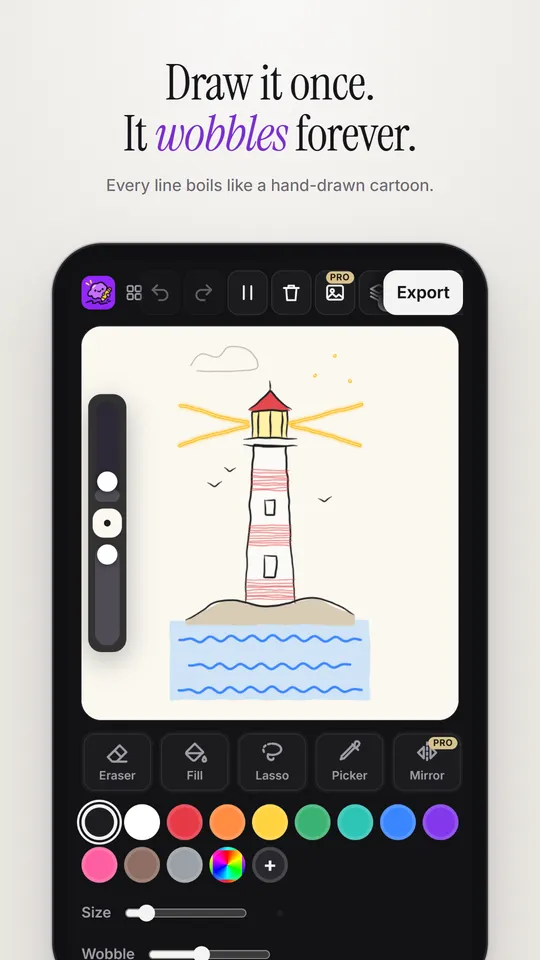
Draw anything and watch it boil and wiggle like a hand-drawn cartoon. No keyframes. No timeline. Just draw.


Free on iPhone, iPad, Android and in your browser.
A quick tour
Real screens from the app on iPhone, iPad and Android.
20 animated brushes
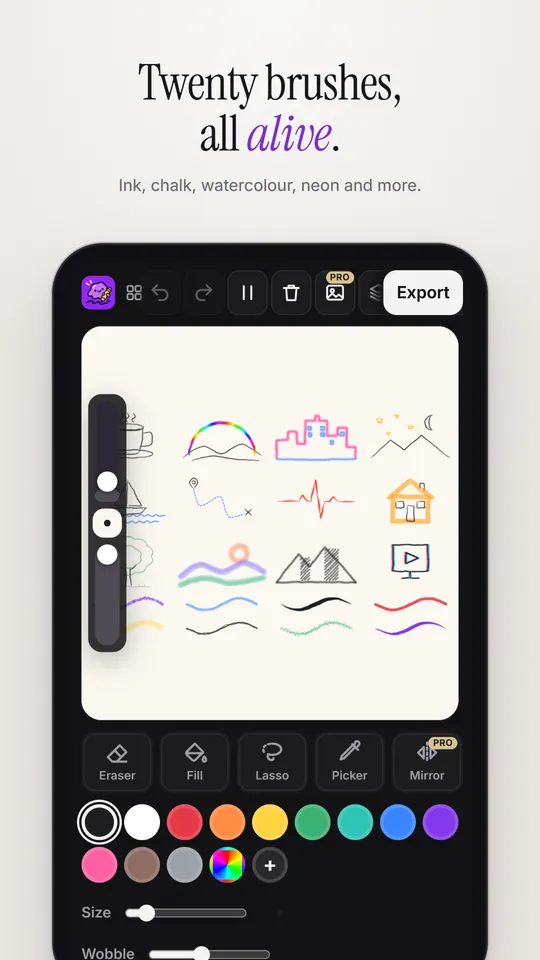
Ink, crayon, chalk, watercolor and more. Each one moves in its own way, the moment you draw.
Pressure-sensitive, like a fineliner.
Colours that flow along the line.
A soft glow, like a sign at night.
Glitter that twinkles as it boils.
A line that never stops dancing.
Dashes that march along the path.
Breathes thicker and thinner.
Bold, flat and full of colour.
Grainy, soft and sketchy.
Soft washes that pool and bleed.
Smudgy, dark and dramatic.
Colour-split lines that jump.
Plus Crayon, Chalk, Brush Pen, Felt Pen, Highlighter, Sketchy, Spray Pro and Ink Nib Pro.
iPad and Apple Pencil
Press harder for bolder lines. Double-tap to erase. Rest your palm anywhere.
 Seaside
Export
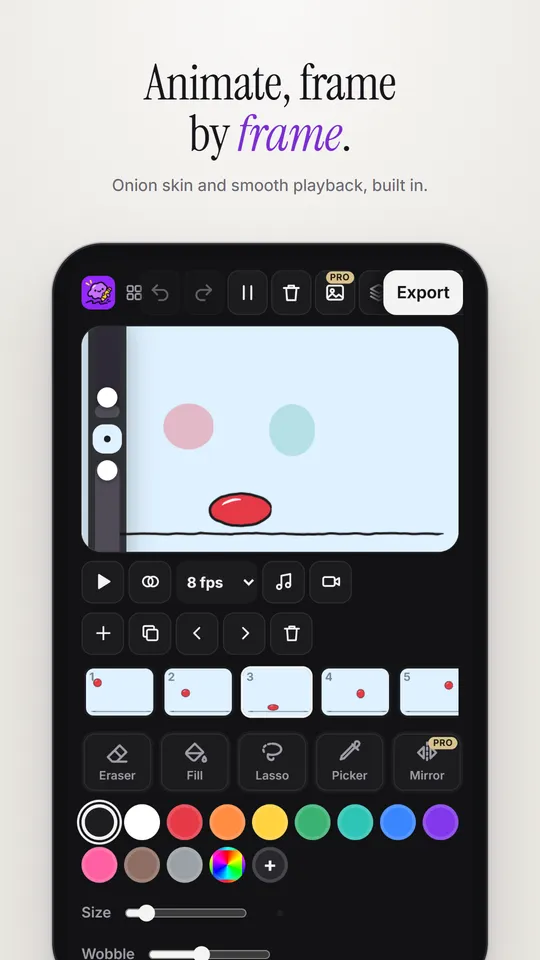
Add frames and see the one before and after with onion skin. Play it back at 2 to 24 frames per second.
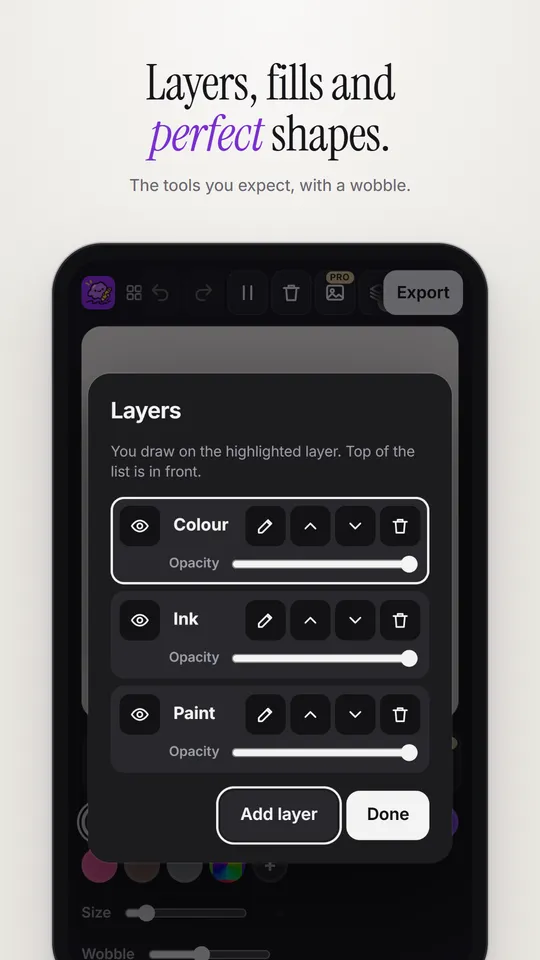
Up to 10 layers. Tap to fill a shape and the colour wobbles too. Hold at the end of a line to snap a perfect circle or box.
Looping GIFs for chats, videos for Reels and TikTok, pictures, or a replay of your drawing being drawn.
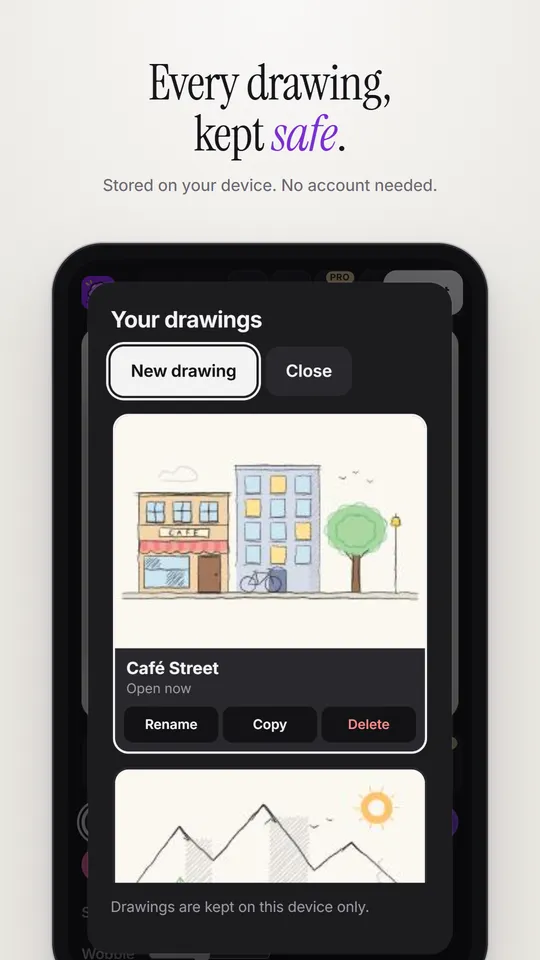
No account, no ads, no tracking. Your drawings never leave your device.
New: sound and camera
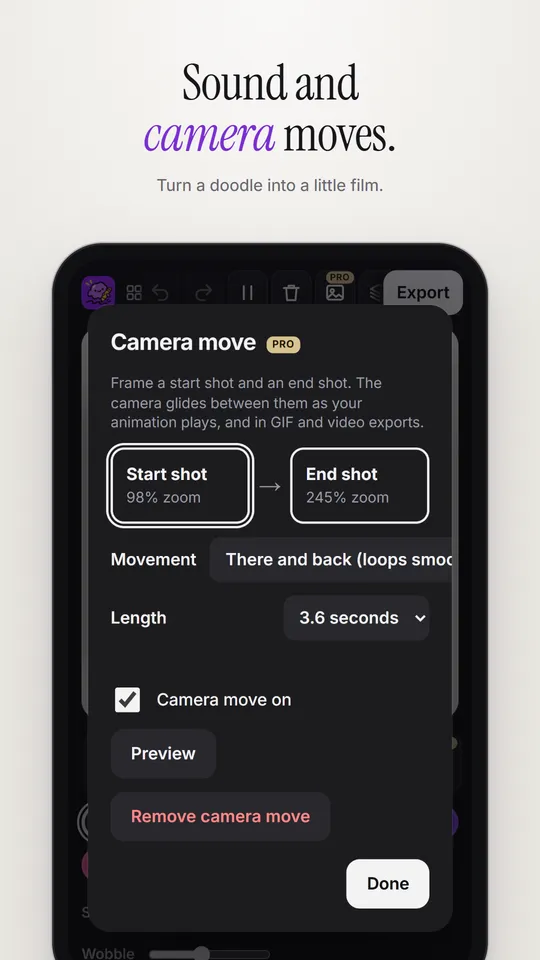
Add music or your own voice, then let the camera glide and zoom across your drawing.
Frame a start shot and an end shot. The camera glides between them as your animation plays, and in GIFs and videos.
Choose a song or record your voice. It plays along with your frames, and goes into your video exports.
Pricing
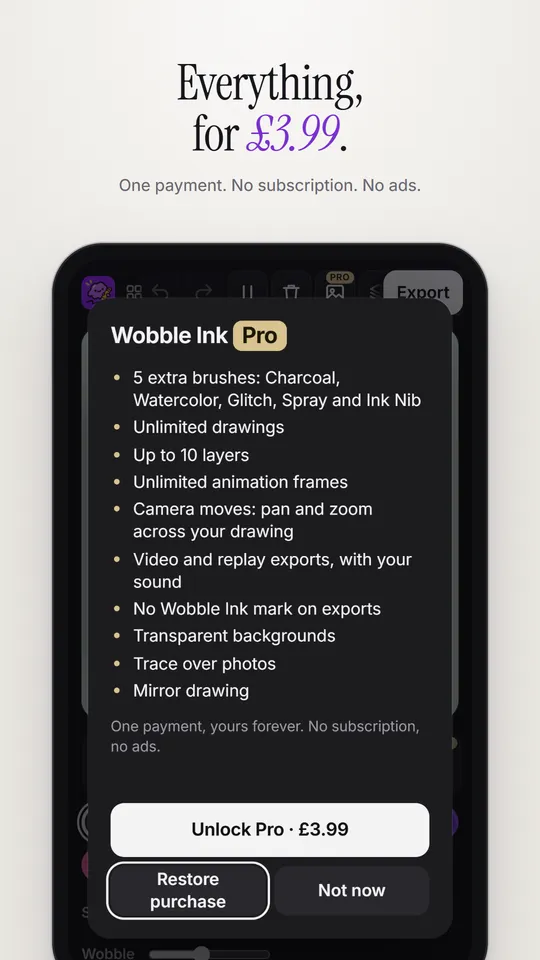
One payment. No subscription. Yours forever.
£0
Draw, animate and share.
Start drawingBest value
£3.99 once
Everything, with no limits and no watermark.
Unlock inside the iPad, iPhone or Android app.
| Feature | Free | Pro |
|---|---|---|
| Animated brushes | 15 | All 20 |
| Sound and voice recording | ✓ | ✓ |
| Camera moves | – | ✓ |
| Drawings in your gallery | 3 | Unlimited |
| Layers | 2 | 10 |
| Animation frames | 6 | Unlimited |
| Fill, shapes, lasso, eyedropper | ✓ | ✓ |
| GIF and picture export | With a small mark | No watermark |
| Video export, with sound | – | ✓ |
| Replay video of your drawing | – | ✓ |
| Transparent backgrounds | – | ✓ |
| Trace a photo | – | ✓ |
| Mirror drawing | – | ✓ |
Buy Pro once inside the app. It's yours on that store account for good.
How it works
In hand-drawn cartoons, every frame is traced again by hand, so the lines never sit perfectly still. That gentle wobble is called line boil. Wobble Ink redraws each of your lines in three slightly different poses and cycles them several times a second.
Yes. Drawing with 15 animated brushes, animating, adding sound and exporting GIFs is free, with no ads and no account. Wobble Ink Pro is an optional one-time unlock (£3.99) that adds 5 more brushes, camera moves, video export with sound, more layers and no watermark.
No. Pro is a single payment of £3.99 in the App Store or Google Play. There's nothing to cancel, and you can restore it on a new device with the same account.
Yes. Lines respond to pressure, double-tap (or squeeze on Apple Pencil Pro) switches to the eraser, and Pencil-only mode stops your palm and fingers from drawing.
No. There are no keyframes. You draw, and every line starts moving on its own. When you want more control, add frames and use onion skin to animate frame by frame.
Yes. Export a looping GIF or a still picture for free. Pro adds video, a replay video of your drawing being drawn, and transparent backgrounds.
Yes. Choose a sound file or record your voice right in the app. It plays along with your animation, and Pro puts it into your video exports.
No. You draw every line yourself. Wobble Ink only makes your lines wobble, live, as you draw. Nothing is generated for you.
On your own device. Wobble Ink doesn't collect any data or upload your drawings. You can export a project file as a backup. See the privacy policy.
Android phones and tablets (Google Play), iPhone, iPad and Apple Silicon Macs (App Store), and any modern web browser.
Free on iPhone, iPad, Android and in your browser. No sign-up.